
Anatomy of the Help Desk
The Help Desk has four main panes:
- Left Pane (Folder System): Shows all ticket folders — Assigned to Me, In Progress, Escalated, Unassigned, and campus-level views.
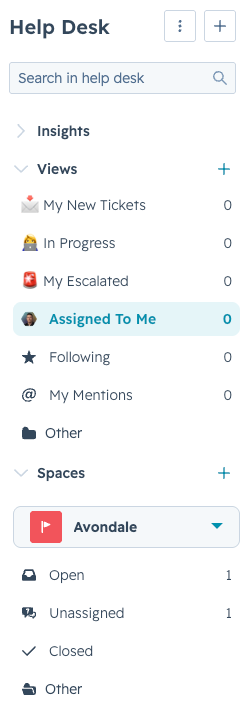
- Secretaries and registrars: Focus on tickets assigned to you.
- Admins and DSOs: Regularly check the Unassigned folder and take ownership of available tickets.


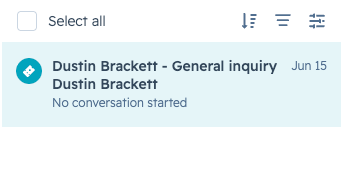
- Middle-Left Pane (Ticket Inbox): All tickets currently in the selected folder. Click any ticket to open it.
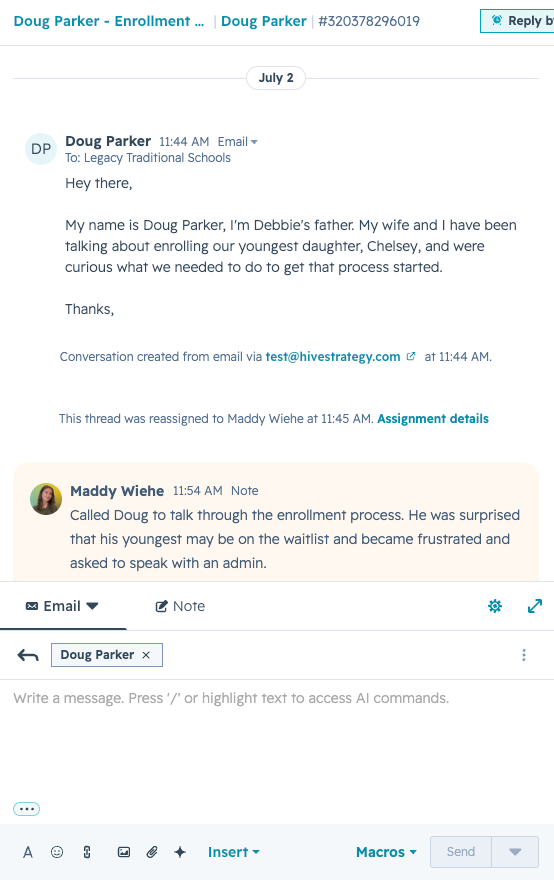
- Middle-Right Pane (Activity Pane): When a ticket is open, this is where you email or call the family, or leave internal notes.
- Right Pane (Ticket Details): Everything known about the selected ticket — owner, campus, pipeline, status, category, description, priority, related guardian, related student, and associated tickets.
