
There are two steps to move the ticket to in progress:
- Confirm the ticket’s category
- Shift the ticket status to In Progress
1. Confirming the Ticket Category
It is essential that the ticket category is correct, as this indicates who should own the ticket and what the priority ought to be.
Usually the category will be correct, but if it is not, all you will need to do is select the dropdown and update to the correct category:
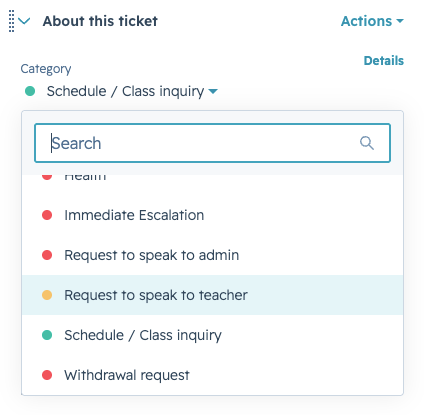
|
IMPORTANT If a ticket is incorrectly assigned to you, do not update the ticket owner field. Only update the category field, and the ticket owner will automatically route to the correct person. |
2. Shifting the Ticket to In Progress
If the category is correct, you will need to shift the ticket to In Progress by selecting the Ticket Status drop down and selecting In Progress:
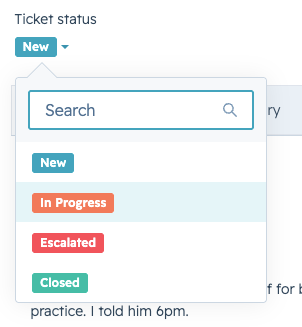
|
NOTE: Once you shift a ticket to In Progress, it will be removed from your My New Tickets view and will show in your In Progress view. This indicates that you have officially “accepted” the ticket, and you will own responding to the guardian and closing the ticket out. |